





Dashboard
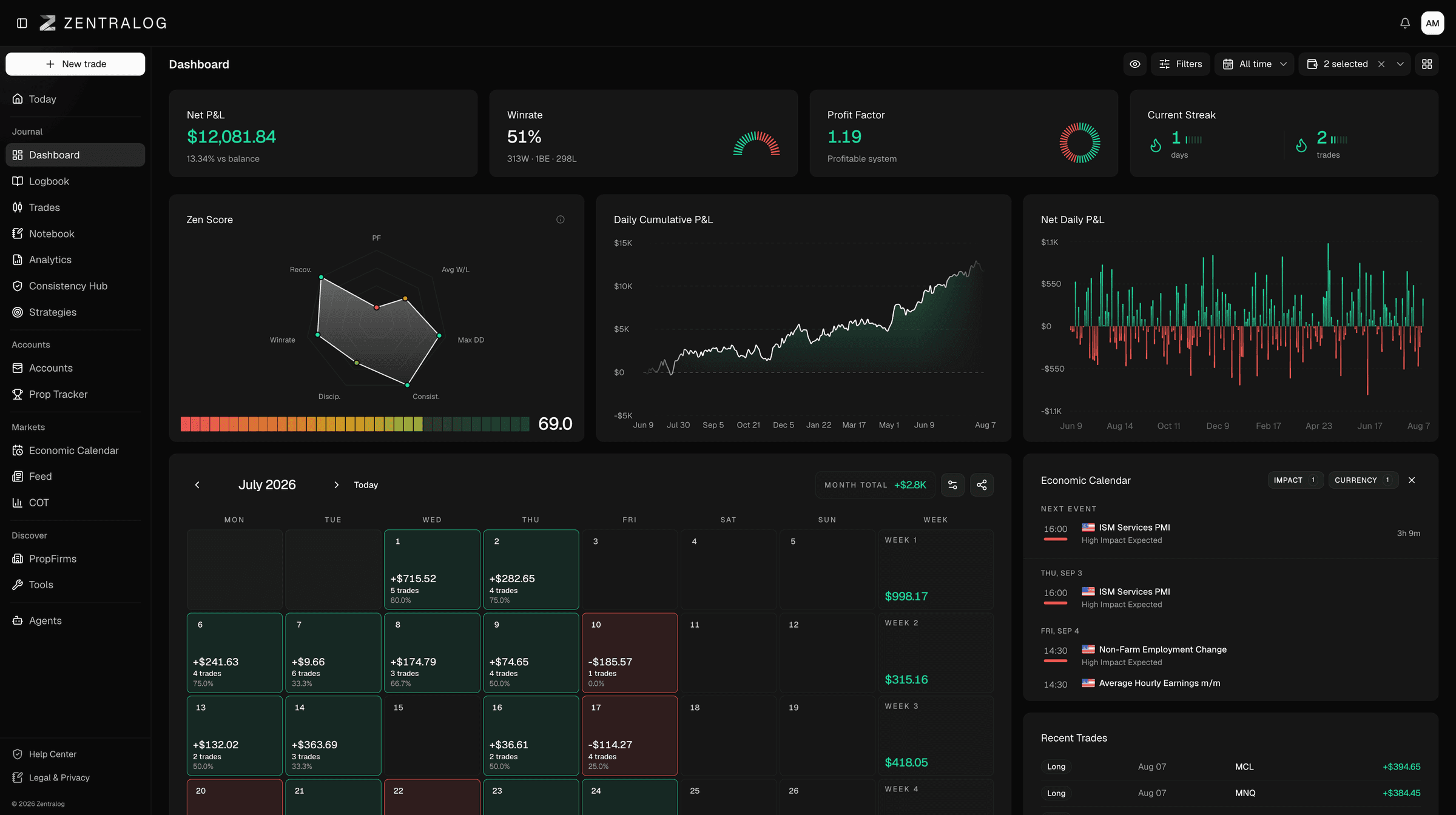
Net P&L, win rate, profit factor and streaks, with your daily cumulative P&L curve, a monthly P&L calendar, P&L by weekday, edge by session and a time heatmap. Set up several dashboards and switch between them.
Integrations/MetaTrader 5
Zentralog is a MetaTrader 5 journal that connects with your MT5 login and the server you pick from a list. There is no EA to add and nothing to install in MetaTrader.

Trades from prop firms such as FTMO and from brokers such as IC Markets or Pepperstone end up in one behavioral trading journal.
Challenges, funded accounts and personal accounts sit together in one profile, next to accounts from other brokers and firms. If you also trade futures, Tradovate, Rithmic and TopstepX sync automatically too. For brokers without auto-sync, you upload a statement.
How auto-sync works
The same login you use in MetaTrader 5.
Choose it from the list.
Past trades arrive as far back as your broker allows. After that, new trades sync automatically several times a day in the background, and again whenever you open Zentralog. Nothing to install in MetaTrader.
Net P&L, win rate, profit factor and streaks, with your daily cumulative P&L curve, a monthly P&L calendar, P&L by weekday, edge by session and a time heatmap. Set up several dashboards and switch between them.
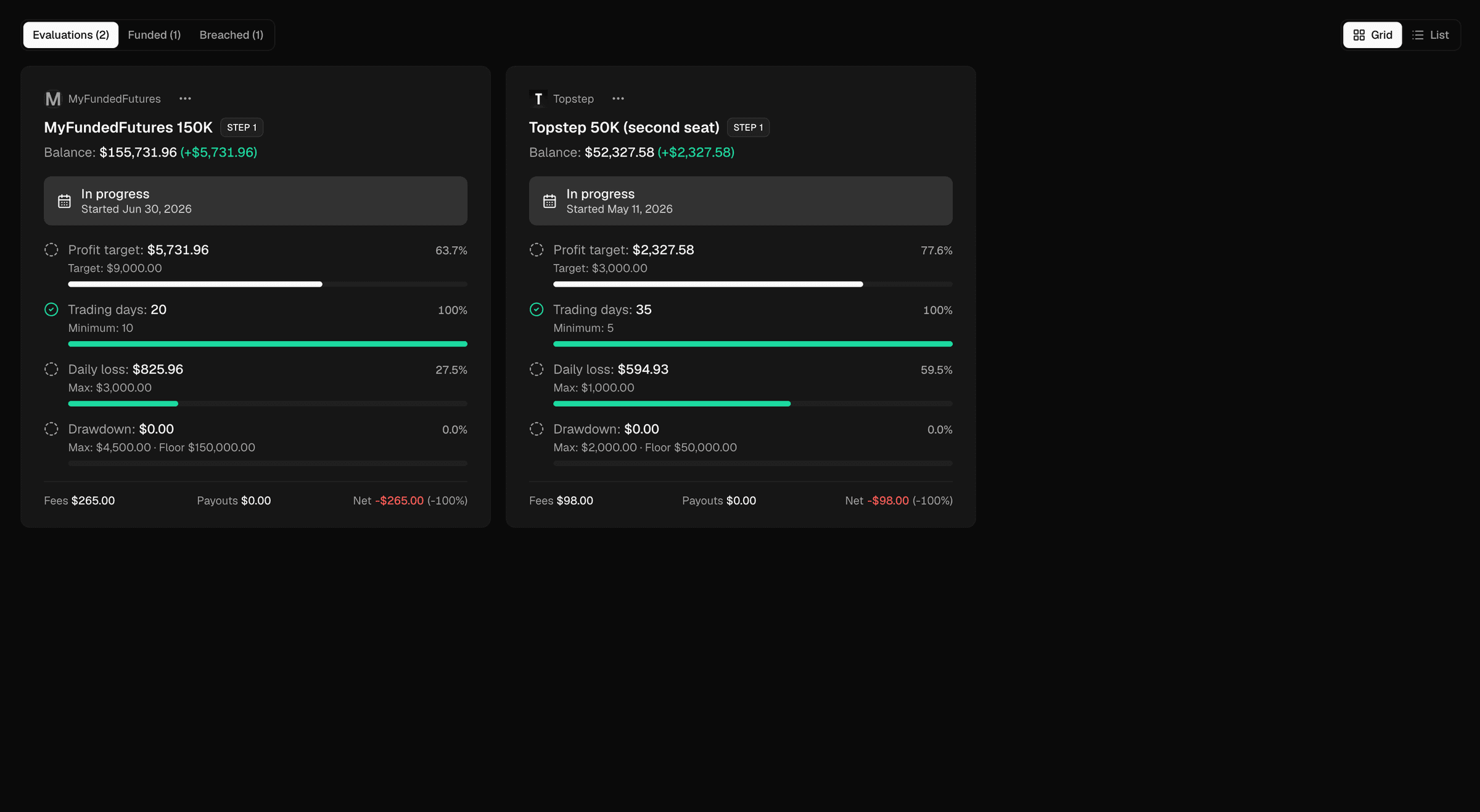
Every challenge, funded and breached account from every firm on one screen. Each is checked against its firm's rules: profit target, minimum trading days, daily loss limit, and drawdown with its floor. Fees, resets and payouts per firm give you a net result and ROI. For a breached account, you see which rule closed it.
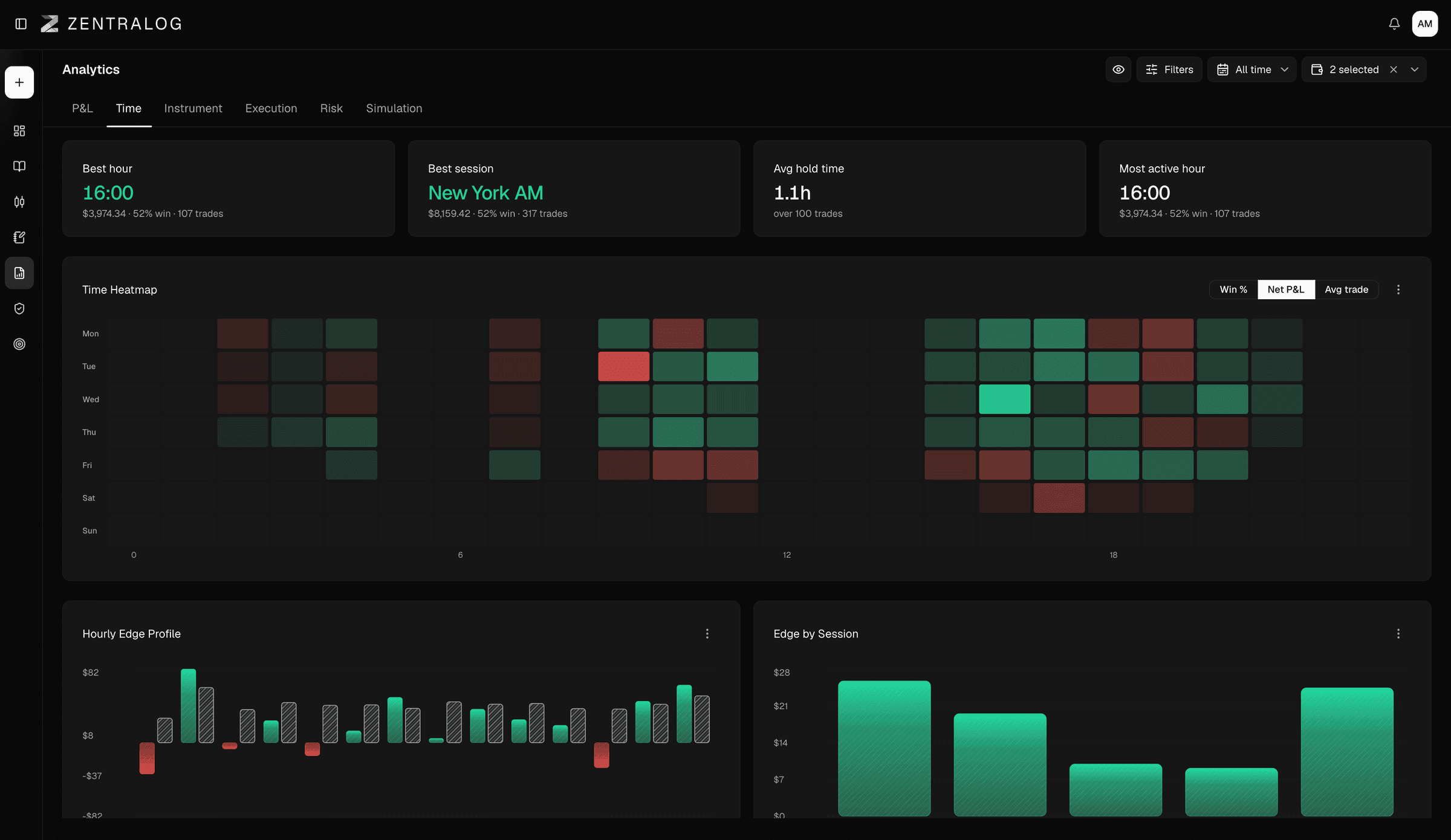
Six tabs. Time shows your strongest hour and session, your average hold time and an hourly edge profile. Instrument shows which pairs and symbols pay and which don't. Execution shows what your entries and exits cost you. Risk covers max and current drawdown and drawdown duration. Simulation runs 5,000 Monte Carlo paths of your next trades.
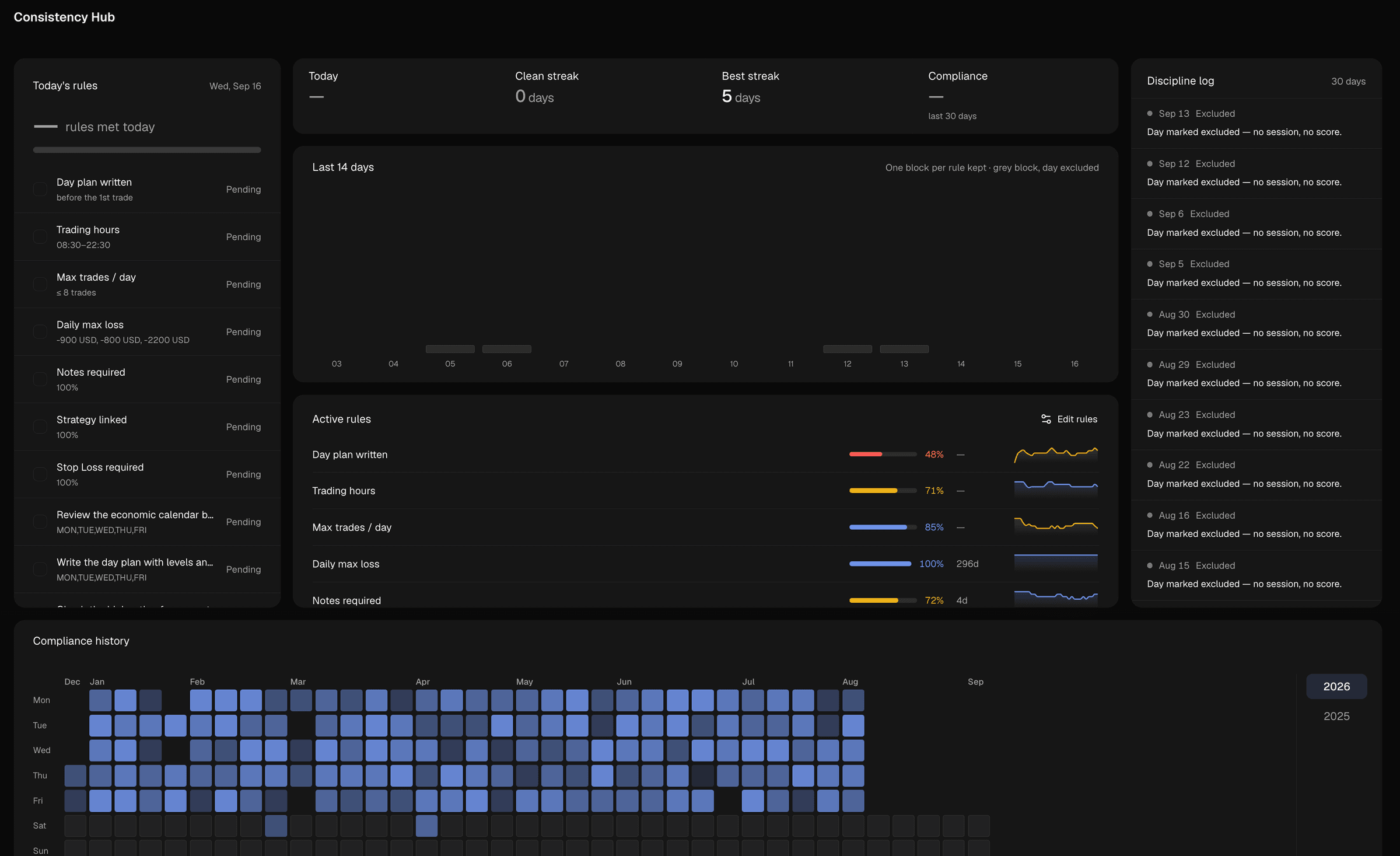
Write your own rules, such as trading hours, max trades per day, daily max loss or notes required. Zentralog checks each day against them and shows today's compliance, your clean streak, your longest streak and your history.
One number from 0 to 100 for how you trade, built from profit factor, max drawdown, average win/loss, discipline, win rate, consistency and recovery.
Notes in folders, templates and checklists you can tick, with charts and linked trades inside a note.
Zentralog only reads your trades. It never opens, changes or closes a position, and it is not a broker.
Next to your trades you also get an economic calendar, a market clock with every session, a headlines feed and weekly COT positioning. You can add or edit trades by hand and set your own commissions and fees.
No. You enter your MT5 login and pick your server from the list. There is nothing to install in MetaTrader.
Yes. FTMO is one of the prop firms on MT5 that connect this way, along with FundedNext, Funding Pips, Blue Guardian, E8 Funding, BrightFunded and Goat Funded Trader.
Brokers on MT5 include IC Markets, Pepperstone, OANDA, Darwinex, FP Markets and many more. You pick your server from the list when you connect.
Yes. Evaluations, funded accounts and personal accounts from different brokers and firms all sit in one profile.
Yes. Your past trades come in as far back as your broker allows. New trades then sync several times a day and whenever you open Zentralog.
No. Zentralog only reads your trades. It never opens, changes or closes a position.
Free during the public beta. No card required.
MetaTrader 5 is a trademark of its owner. Zentralog is not affiliated with or endorsed by MetaTrader 5.