
Your mentor, inside your journal.
Mentors see their students’ real trades, read-only, and answer on the chart. Students ask where the doubt happened, and their private notes stay private.

Your whole desk on one screen.
Every student with their numbers, their curves side by side and everything waiting for you, oldest first. Open it in the morning and you know who needs you today.
- active students
- 4
- review waiting, the oldest from yesterday
- 1
- median win rate
- 50%
- best student, all time
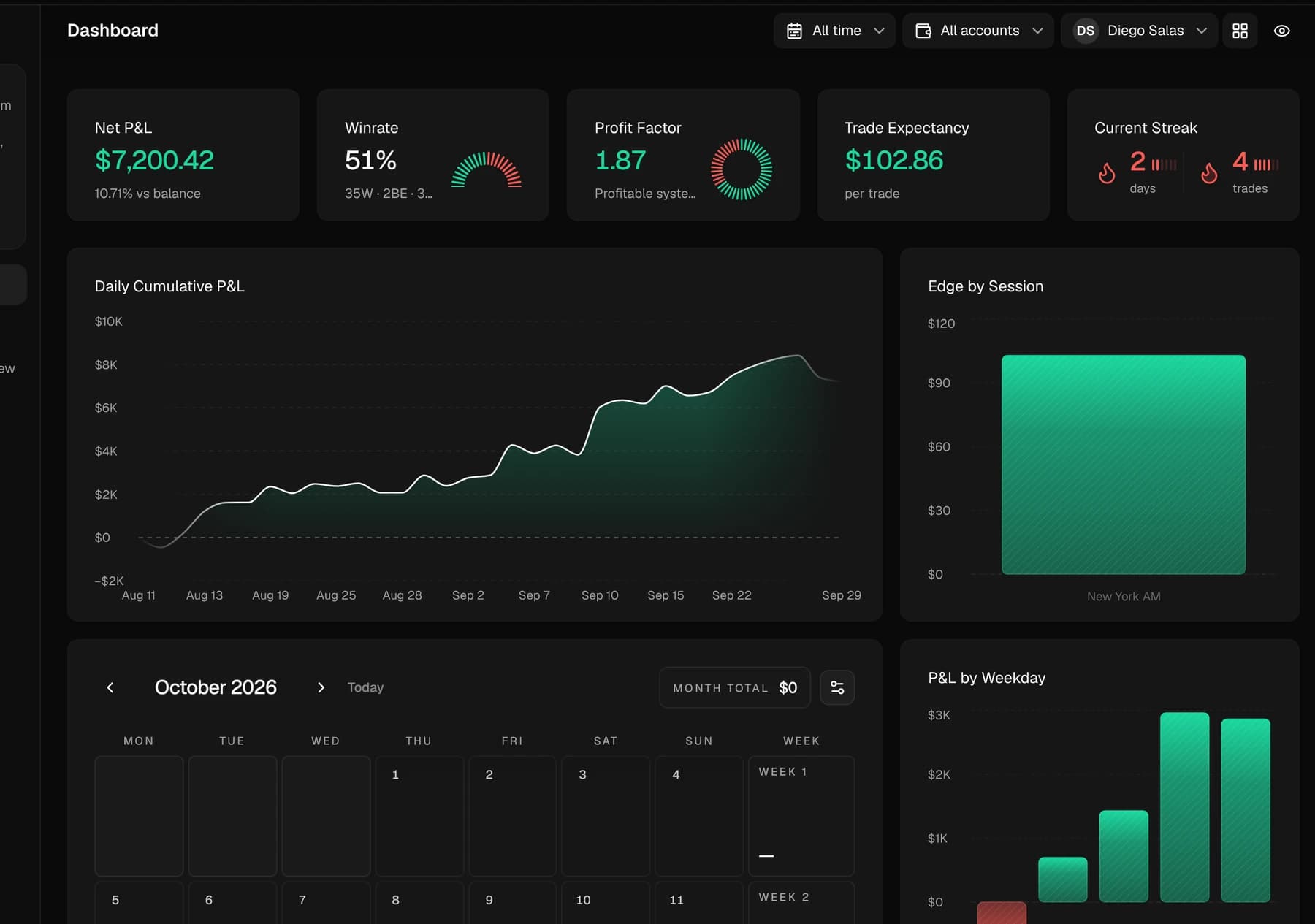
- +$7,200.42
The desk at a glance
Active students, pending reviews, median win rate and median profit factor, for the period you choose.
Every curve, side by side
Cumulative P&L of up to five students on one chart. Hover any day to compare them.
Nothing slips
Review requests, replies and pending invitations in one list, and every student’s numbers in one table.
Answer on the trade.
The student’s trade with its chart, entry, exit and their question, read-only. Your feedback stays attached to the trade.
- Diego’s MNQ short, under review
- −$193.70
One plan for the whole desk.
Post the week’s plan once. Every student sees it the next time they open Zentralog, and you see who has read it.
Every trade, read-only.
Each student’s trades with their stats, one click from the chart. Nothing to export, nothing to send.
- trades, Diego
- 70
- net
- +$7,200.42
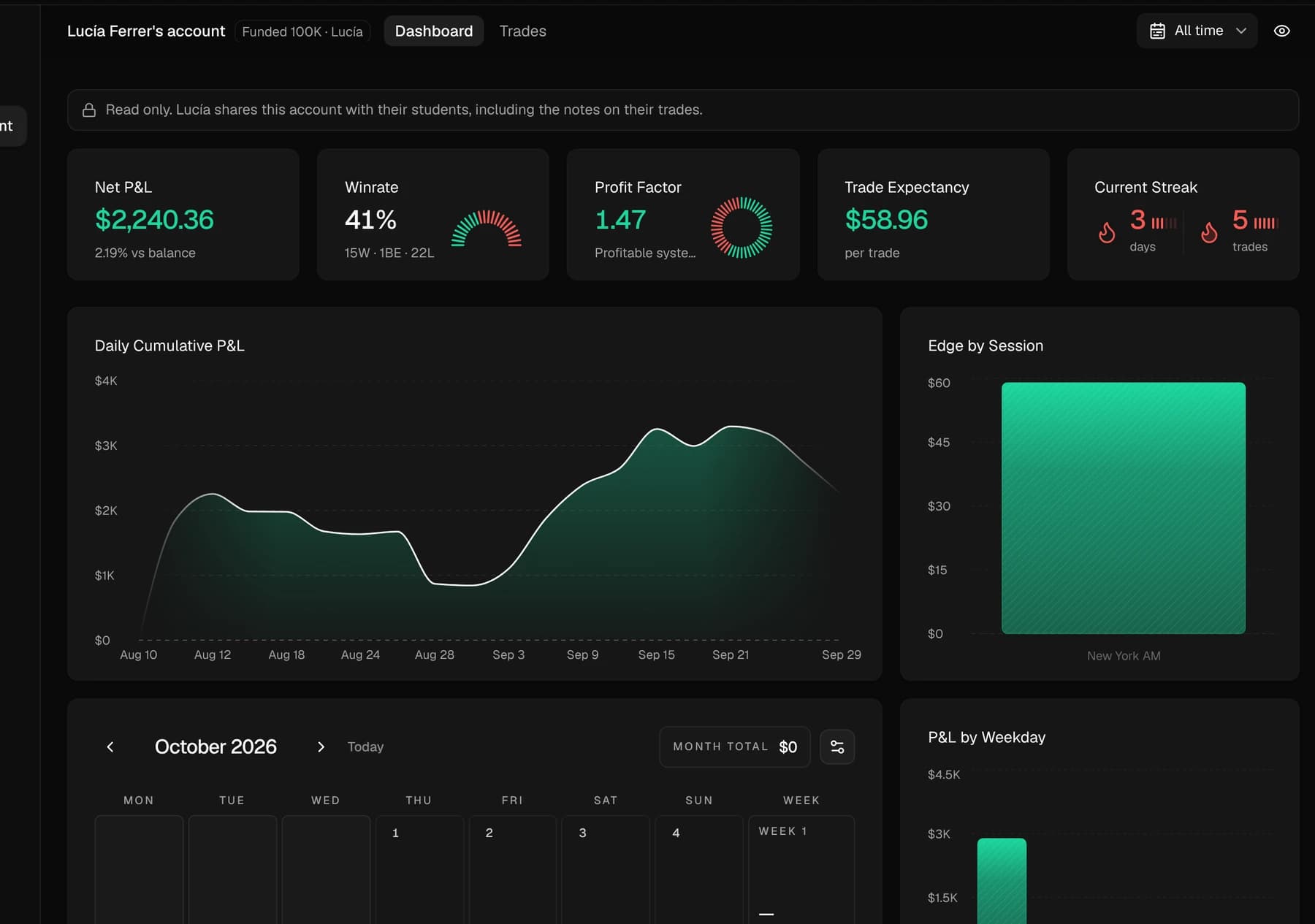
They see your trades. Never your notebook.
Every student accepts the same conditions before joining, and can leave the mentorship at any time.
What your mentor sees
Your dashboard and stats across all your accounts, your trades on every account, archived ones too, and the note on each trade.
What they never see
Your Notebook, My Day and Logbook, your settings, connections and passwords, your payment details and your subscription.
Ask on the trade
Request a review from the trade itself. Your mentor opens the same chart with your note, and the answer stays attached to it.
Bring your desk to Zentralog.
Invite your students once. Every trade they take from then on is one you can teach on.