
Integrations/Lucid Trading
The Lucid Trading trading journal that syncs automatically
Sign in with Tradovate and pick your Lucid Trading accounts. Your trades come in on their own, with no file to export. It also syncs through Rithmic.
- Syncs through
- Tradovate · Rithmic
- Markets
- Futures
- Access
- Only reads your trades







How Lucid Trading connects
Through Tradovate, in three steps
- 01
Sign in with Tradovate.
Use your Tradovate account to connect.
- 02
Pick your accounts.
Choose which Tradovate accounts to journal: personal, evaluation or funded.
- 03
Your trades come in.
Past trades arrive as far back as Tradovate allows. From then on, new trades sync automatically several times a day in the background, and again whenever you open Zentralog.
Every Lucid Trading account on one screen
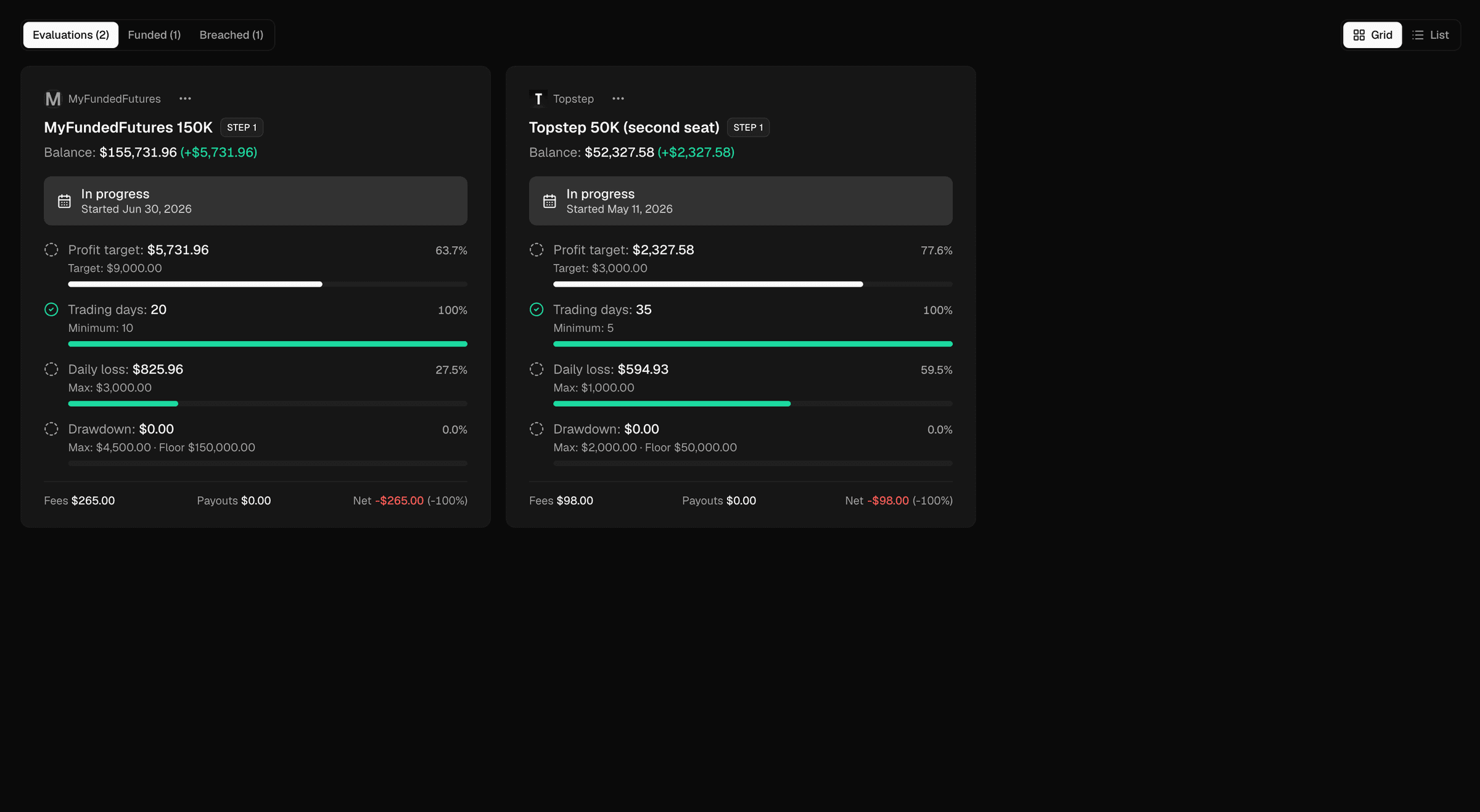
Every Lucid Trading evaluation, funded and breached account sits on one screen in Prop Tracker. Each is checked against Lucid Trading's rules: profit target, minimum trading days, daily loss limit, and drawdown with its floor. For a breached account, you see which rule closed it.
Other prop firms on Tradovate
All brokers and platforms → Alpha Futures
 Apex Trader Funding
 Blue Guardian Futures
- Earn2Trade
- Elite Trader Funding
- FundedNext Futures
- Goat Funded Futures
- My Funded Futures
- TradeDay
 Tradeify
Lucid Trading questions
Does Zentralog work with Lucid Trading?
Yes. Lucid Trading accounts sync automatically through Tradovate or Rithmic. New trades come in several times a day in the background, and whenever you open Zentralog.
How do I connect my Lucid Trading account?
Sign in with your Tradovate account and pick the Lucid Trading accounts to journal. You can also connect through Rithmic.
Will my past Lucid Trading trades come in?
Yes. Your past trades come in as far back as Tradovate allows.
Can Zentralog place or close trades on my Lucid Trading account?
No. Zentralog only reads your trades. It never opens, changes or closes a position.
How much does it cost?
Zentralog is free during the public beta, which opens on 19 October 2026. No card is required.
Journal your Lucid Trading trades without exporting a file.
Free during the public beta. No card required.
Lucid Trading is a trademark of its owner. Zentralog is not affiliated with or endorsed by Lucid Trading.